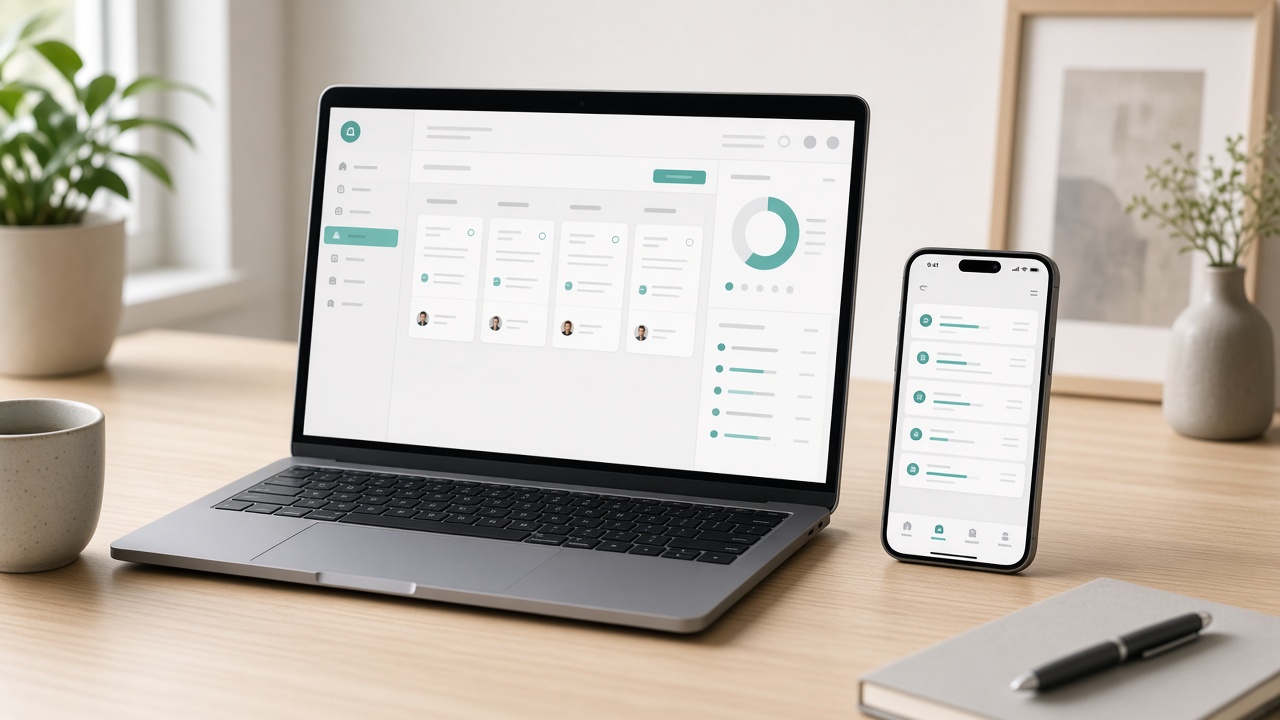
New tasks land quietly through the day — no pressure to grab them.
Wellbeing-led microwork
Small, steady tasks that fit around a gentler day
Coldab connects you with short online jobs — surveys, captions, quick research and more — that you can pick up from the sofa, the kitchen table or a quiet corner of the library. There are no streaks to protect and no countdowns to chase: you choose when to open the app, and you choose when to close it.
Today's stretch3 surveys · 1 caption task · ~25 min
Two done, a gentle pause, then the rest after lunch.
Choose your pace
Three ways to nest — pick the one that suits today
Your pace can change from one day to the next. Set a preferred session length in your profile and the task feed only shows work that fits comfortably inside it, so nothing half-finished hangs over you.
Around 5 minutes
Five-minute nest
For the gaps in a day that would otherwise disappear into scrolling. One task, done properly, then back to life.
Tasks that fit
Single-page surveys, image tagging, search result ratings, one-line captions.
Typical session
One to three tasks, usually finished before the kettle boils twice.
Ideal for
Commuters, carers on standby and anyone who likes tiny wins.
Around 30 minutes
Half-hour nest
The most popular rhythm. Long enough to settle into a mix of tasks, short enough to sit inside a lunch break.
Tasks that fit
Longer surveys, short product descriptions, app walkthroughs, a batch of audio clips.
Typical session
Four to eight tasks with a built-in stretch reminder halfway through.
Ideal for
Part-time workers, students between lectures and parents during nap time.
One to two hours
Long nest
For focused people who enjoy getting absorbed. Expect deeper tasks and fewer context switches.
Tasks that fit
Research projects, article drafts, mystery visit reports, extended testing rounds.
Typical session
Two or three substantial pieces, with breaks you plan yourself.
Ideal for
Writers, retirees with a free morning and careful detail-lovers.
A day in the nest
What a calm working day can look like
This is one member's ordinary Tuesday, lightly edited. It is not a target or a routine to copy — just a picture of how short tasks can slot around meals, errands and rest without taking over.
Notice what is missing: no alarms for new work, no leaderboards, no fear of losing a slot. Tasks wait patiently in the feed until you are ready, and most stay open for several hours or more.
07:30
Tea first, then two short surveys
Before the house wakes up, Priya opens the feed on her phone and chooses two consumer surveys about breakfast habits. Each takes around six minutes. She skips a third because it asks about car insurance, which she knows nothing about — and skipping costs her nothing.
Five-minute nest · phone
12:15
A lunchtime caption batch
Sandwich in one hand, laptop open, she writes short alt-text captions for twelve product photos. The instructions include good and bad examples, so she is confident about the tone. The batch fits neatly into twenty minutes, and the stretch reminder nudges her to stand up at the end.
Half-hour nest · laptop
16:00
Checking in, not catching up
After the school run she glances at her dashboard. The morning surveys are approved; the captions are still in review, which is normal. A local photo task has appeared — a quick snapshot of a shop window display — so she adds it to tomorrow's errands rather than rushing out.
Two-minute check · phone
21:00
One thoughtful piece, then lights off
With the house quiet, she takes a 150-word product description for a reusable water bottle. She drafts, rereads, trims a clumsy sentence and submits. Then she closes the app. The feed will still be there tomorrow, and so will she.
Half-hour nest · laptop
Task explorer
Eight kinds of work, explained plainly
Select a category to see what the work actually involves, how long it usually takes and what helps you do it well.
Surveys
The easiest place to begin
Surveys ask for your honest opinion on products, services, adverts and everyday habits. Researchers use the answers to understand how real people think, so there are no right or wrong responses — only careful or careless ones. Some surveys screen you out after a few questions if you are not in the audience they need; that is normal and not a mark against you. Reading each question fully and answering consistently is what keeps your quality score healthy.
Typical duration
3–20 minutes
Devices
Phone, tablet or laptop
Skills needed
Attention and honesty
Tip: Keep your profile details up to date. Accurate age, region and interests mean fewer screen-outs and better-matched surveys.
Text writing
For people who enjoy words
Writing tasks range from a single sentence to a few hundred words: product descriptions, short how-to steps, category summaries, rewrites of clunky copy and image captions for accessibility. Each brief sets the tone, length and any words to include or avoid. You do not need to be a professional writer, but clear grammar, British spelling where requested and a habit of rereading before you submit make a real difference to approval rates and the tasks you are offered next.
Typical duration
10–60 minutes
Devices
Laptop or tablet with keyboard
Skills needed
Clear writing, following a brief
Tip: Read the brief twice and draft once. Most rejections come from missing a required keyword or ignoring the word limit, not from style.
Web research
Calm, methodical detective work
Research tasks ask you to find and verify specific information online: a shop's opening hours, a company's contact page, whether a product is still sold, or which category a listing belongs in. You record what you found and where you found it. The work rewards patience over speed, because an unverified guess is worth less than an honest "not found". It suits people who like tidy spreadsheets, cross-checking sources and the quiet satisfaction of a confirmed answer.
Typical duration
5–40 minutes
Devices
Laptop preferred
Skills needed
Search skills, careful recording
Tip: Always paste the source link the task asks for. A correct answer without its evidence is usually sent back.
Mystery visits
Observing everyday service
Mystery visits are the one category that takes you out of the house, though some are done entirely by phone or web chat. You visit a shop, café or service as an ordinary customer, notice specific things — cleanliness, how long you waited, whether staff mentioned an offer — and complete a structured report afterwards. Visits are always optional and listed with their location, so you can fit them around errands you were already planning rather than making special trips.
Typical duration
20–60 minutes including report
Devices
Phone for notes and photos
Skills needed
Observation, discretion, good memory
Tip: Jot notes in your phone straight after leaving. Details fade surprisingly quickly, and reports are reviewed for specifics.
App testing
Be the first fresh pair of eyes
Developers want to know where real people get stuck. In an app or website test you follow a short script — sign up, find a product, change a setting — and describe what felt confusing, slow or broken. Some tests ask you to narrate your thoughts aloud while recording the screen; others just need written answers. You never need technical knowledge. In fact, the most useful testers are often the ones who admit plainly when something made no sense to them.
Typical duration
10–45 minutes
Devices
Specified per test: phone or desktop
Skills needed
Patience, clear descriptions
Tip: Describe what you expected as well as what happened. "I thought this button would save, but it closed the page" is gold.
Photo tasks
Simple pictures with a purpose
Photo tasks ask for straightforward images that help train recognition systems or check how products appear in the real world: a shelf display, a household object from three angles, a handwritten note, a street sign in good light. Briefs explain exactly what to include and what to keep out of frame — faces, number plates and personal details are almost always excluded. A recent phone camera is plenty; artistic skill is not required, but steady hands and decent lighting are.
Typical duration
2–15 minutes
Devices
Phone with a camera
Skills needed
Following framing rules
Tip: Shoot near a window in daylight and wipe the lens first. Blurry or dark images are the most common reason for a resubmission request.
Audio tasks
Listening and speaking
Audio work comes in two flavours. Listening tasks ask you to check short clips — is this transcript accurate, is the speaker's mood positive or negative, does the recording contain background noise? Speaking tasks ask you to read prompted phrases aloud so voice assistants learn to understand a wider range of accents. Regional accents are genuinely welcome. A quiet room and a basic headset make the work far more pleasant, and many clips last only a few seconds.
Typical duration
5–30 minutes per batch
Devices
Any device with headphones or a mic
Skills needed
Good listening, clear speech
Tip: Record a test phrase before starting a speaking batch. Fixing an echoey room once saves redoing a dozen clips.
Video tasks
Short clips, careful notes
Video tasks usually involve watching rather than filming. You might mark the moment a product appears on screen, rate whether subtitles stay in sync, label the activity in a short clip or flag content that breaks a stated guideline. Occasionally a brief asks you to record a simple action, such as opening a package, with no face shown. The work suits people who can concentrate on detail for twenty minutes at a time, then step away and rest their eyes.
Typical duration
10–40 minutes
Devices
Laptop or tablet screen
Skills needed
Sustained attention to detail
Tip: Use the 20-20-20 habit: every twenty minutes, look at something twenty feet away for twenty seconds.
Move the sliders to see an illustrative monthly range. We deliberately show a spread rather than a single number, because honest expectations make for calmer earning.
10 min3 hours
1 day7 days
Illustrative monthly range
£45 – £80
About 8.7 hours of tasks a month
This is an illustration only, based on broad averages across task types. Actual pay varies by task, availability, the quality of your submissions and your region, and it is not guaranteed. Some weeks have fewer tasks than others, and rejected work is not paid.
Calm earning principles
Six ideas that keep the work pleasant
These are the habits we design around, and the ones our longest-standing members say made the biggest difference.
Choose, never chase
New tasks are added steadily, and most remain open long enough for you to finish your cup of tea first. There is nothing to gain from refreshing the feed every minute.
Small is still worthwhile
A five-minute task done carefully is better for you, and for the people relying on the data, than an hour of rushed clicks. Short sessions add up quietly over a month.
Skip without guilt
If a task feels unclear, uncomfortable or simply dull, pass on it. Skipping has no effect on your standing, and it keeps your attention for work you can do well.
Rest is part of the job
Optional stretch reminders and a daily soft limit help you notice when you have been sitting too long. You can switch them off, but most people keep them.
Treat it as a top-up
Microtasks work best as extra income alongside other things in life. We are open about that, and we would rather you planned around a modest, steady amount than a hopeful one.
Ask when unsure
Every task has a question button that goes to a real person. A quick question before you start is far less stressful than a resubmission afterwards.
How payouts work
From finished task to money in your account
The process is the same for every task type, and you can follow each step from your dashboard.
1
Submit
Finish the task and send it. You will see it listed as pending straight away.
2
Review
The requester or a quality reviewer checks it against the brief.
3
Balance
Approved work is added to your available balance with a clear record.
4
Withdraw
Once you reach the minimum, request a payout to your chosen method.
About thresholds
There is a modest minimum balance before you can withdraw, which keeps transfer costs sensible. The current figure is always shown in your account settings.
About timing
Reviews often finish within a few days, though some requesters take longer. Withdrawals are then processed in regular batches rather than instantly.
Privacy promise
Your details stay yours
Doing small jobs online should never mean giving away more than you intended. These five commitments apply to every member, from the day you register.
We never sell your personal data. Requesters receive your task answers, not your name, email or phone number.
Only what a task needs. Each brief states what it collects, and you can see that before accepting.
No faces or homes by default. Photo and video briefs exclude identifiable people and addresses unless clearly stated and consented.
Encrypted and access-controlled. Your account data is protected in transit and at rest, with staff access limited to genuine need.
Leave whenever you like. Ask us to close your account and we will delete or anonymise your data, keeping only what the law requires.
With a toddler, my free time arrives in random half-hour chunks. I mostly pick audio checks and app tests because I can pause between them. Nobody chases me when I disappear for a week, and that is exactly why I keep coming back.
Claire M.Parent and part-time bookkeeper, Bristol
Five-minute nest · mornings
I do two or three surveys while my porridge cooks. It is not life-changing money and I never expected it to be, but it covers my phone bill most months and I like that it asks nothing of me on busy days.
Graham H.Retired librarian, Shropshire
Long nest · weekends
The writing briefs are clear, and when one of mine was sent back the note explained exactly what to fix. I spend a couple of hours on Saturday mornings drafting product copy. It has helped my confidence as much as my savings.
Arjun P.Postgraduate student, Leeds
Representative member experiences shared with permission; names shortened. Individual results vary.
Your workspace
A dashboard that keeps things quiet
Everything you need, nothing that blinks for attention.
Secure sign-in
Optional two-step verification and a clear list of devices signed in to your account, so you always know who has access.
Session timer
Set how long you want to work today. A soft chime lets you know when you are close, and you can extend or stop with one tap.
Guidance on hand
Short examples sit beside each brief, and a question button reaches a real support person rather than a bot loop.
Calm feed
Filter tasks by length, device and type. No flashing badges or countdown timers, just a tidy list you can read at your own pace.
Fair review record
See every approval and rejection with its reason. If something looks wrong, you can ask for a second look directly from the record.
Skills profile
Add languages, devices and interests once. Short optional qualifications unlock longer tasks when you feel ready for them.
Every device
Start on one screen, finish on another
Your account syncs automatically, so a task saved as a draft on your phone is waiting on your laptop later. Each listing shows which devices it supports before you begin.
Laptop
Best for writing, research and video review, where a keyboard and a larger screen genuinely help.
Tablet
Comfortable for surveys, image labelling and audio checks from an armchair. Add a keyboard for short writing.
Phone
Ideal for quick surveys, photo tasks and mystery visit notes. Look for the phone-friendly tag in the feed.
Common questions
Before you register
Quick answers to what people most often ask. There are more detailed answers, grouped by topic, on our full FAQ page.
No. Registration is free and there are no membership fees, starter packs or paid upgrades. If anyone ever asks you to pay to access tasks under our name, please report it to us.
It depends on how much time you give, which tasks you choose and how many are available in your region. Most members treat it as a modest top-up rather than a wage. Try the estimator above for an illustrative range.
Not for most tasks. Surveys, ratings and photo tasks are open to everyone. Some writing and testing work asks you to complete a short practice task first, which is a chance to learn rather than an exam.
None at all. You can work daily, weekly or once in a blue moon. Accounts are not penalised for inactivity, although we may send a gentle email if you have been away for many months.
You will see the reason in your review record. Many rejections can be fixed and resubmitted. If you think a decision is mistaken, you can request a second review from the same screen.
Ready when you are
Make a little room for work that respects your time
Register in under two minutes, set your preferred pace and see which tasks are waiting. If it is not for you, closing your account is just as easy.